12. Settings, privacy and backup
Everything on this page is in the Options tab.
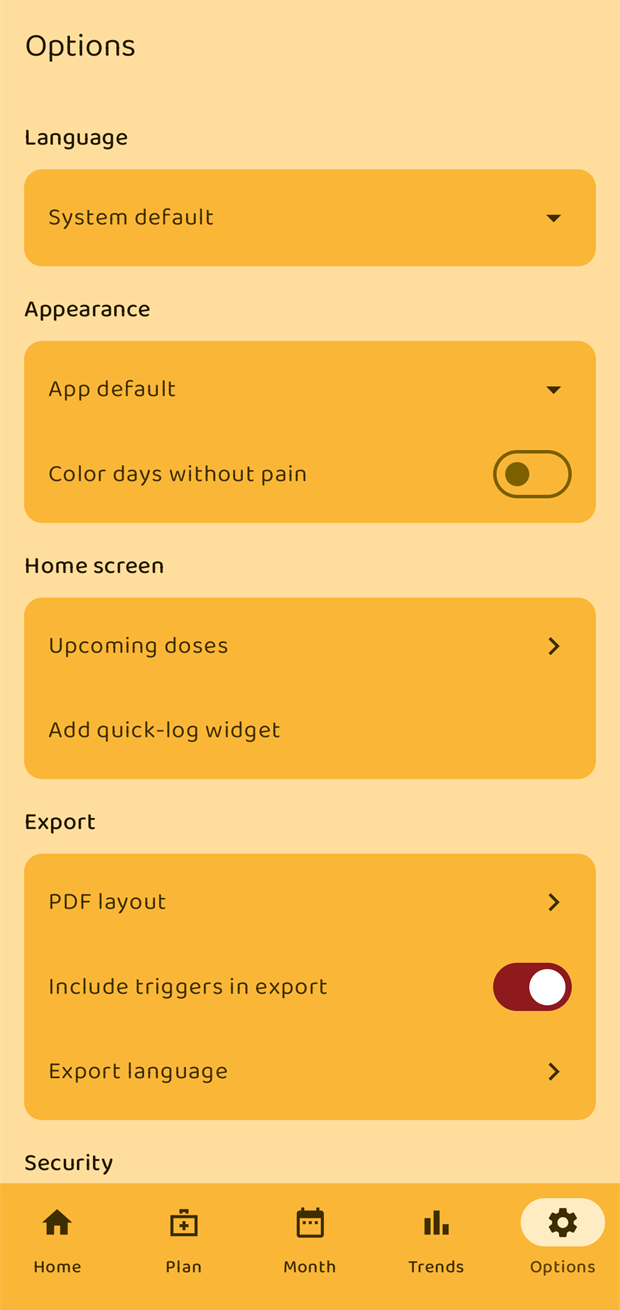
Language
English, Deutsch, Español and Türkçe, or System default to follow the phone. Changing it takes effect immediately. Your own text — notes, triggers, medication names — is never translated.
Appearance
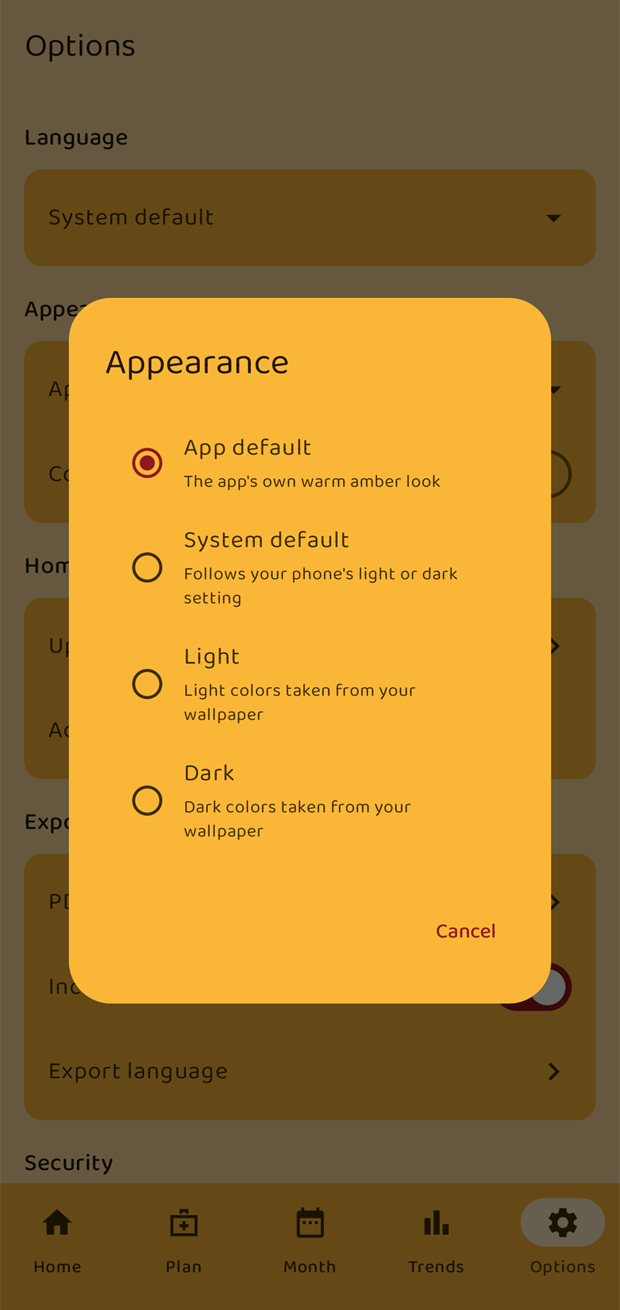
The four looks from the first start: App default, System default, Light and Dark. Light and Dark take their colours from your wallpaper where Android supports that.
Color days without pain fills tracked days with no pain green in the calendar and week strip. Exports are unaffected — see chapter 8.
Home screen
- Upcoming doses — how long before a dose is due it appears on the Home screen. Missed doses are always shown regardless of this setting.
- Add quick-log widget — see chapter 11.
Export
PDF layout, Include triggers in export and Export language are covered in chapter 10.
Security
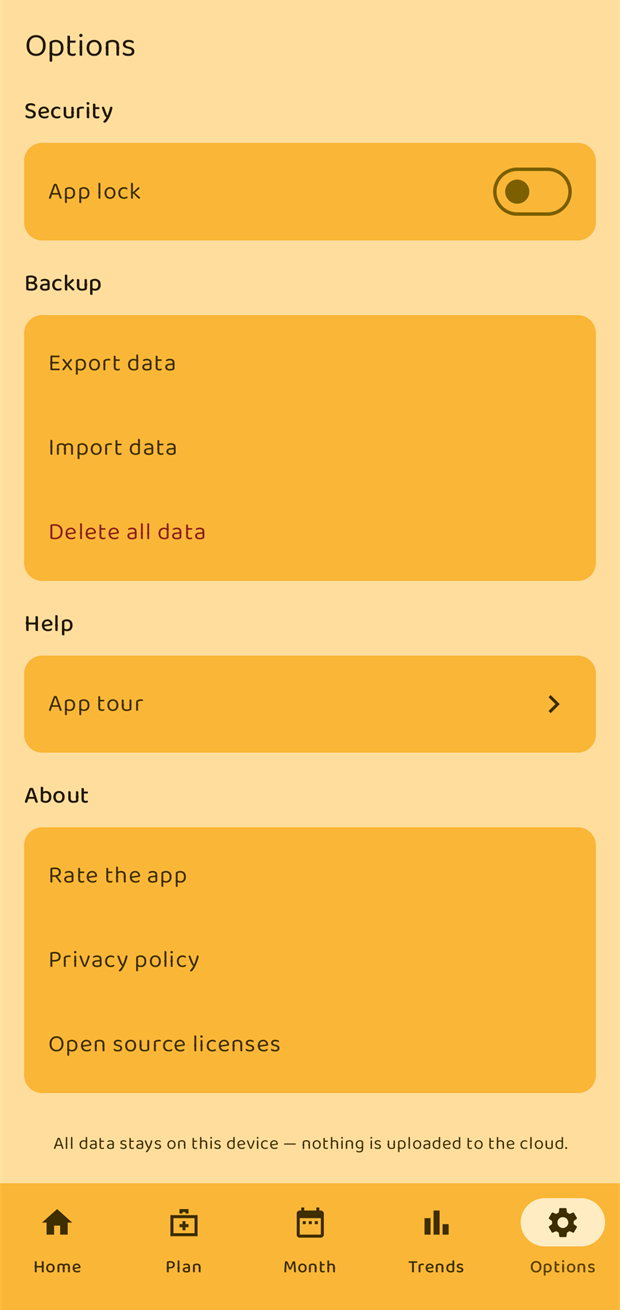
App lock requires a fingerprint, face or your screen lock every time the app is opened or brought back to the foreground.
- You need a screen lock set up on the device first. Without one the app tells you so and leaves the switch off.
- If you later remove your device's screen lock, the app lock quietly stops applying rather than locking you out of your own diary.
Backup
The app never uploads anything. Backups are files you create and keep yourself. If you lose your phone without one, the diary is gone.
Export data
Writes everything — entries, triggers, medications, intakes, appointments, significant events, pain actions, activities and settings — to a single .json file, named pain_tracker_backup_<date>.json. Android asks where to put it. Keep it somewhere you will still have it when you replace your phone.
Import data
Reads a backup file back in.
Importing only ever adds. Anything in the backup that is not already in the app is added; nothing is deleted, and nothing you have now is overwritten. The app confirms before it starts, and afterwards tells you how much was added ("Added 128 entries, 126 intakes, 5 appointments").
Because it merges rather than replaces, importing the same file twice is harmless, and you can safely merge a backup into a diary you have kept using.
Delete all data
Erases every pain entry, trigger, medication, intake, appointment, significant event, pain action and activity on the device, and cancels their reminders. Your language, theme and app lock settings are kept.
This cannot be undone. Export a backup first if there is any chance you will want the data later. The app asks for confirmation and spells out what will go.
Help
App tour reopens the twelve-step introduction from the first start.
About
- Rate the app opens the Google Play listing.
- Privacy policy opens the policy in your browser.
- Open source licenses lists the typeface the app bundles and its licence.
At the bottom of the screen, permanently:
All data stays on this device — nothing is uploaded to the cloud.