8. The month view
The Month tab is where a diary starts to look like a pattern.
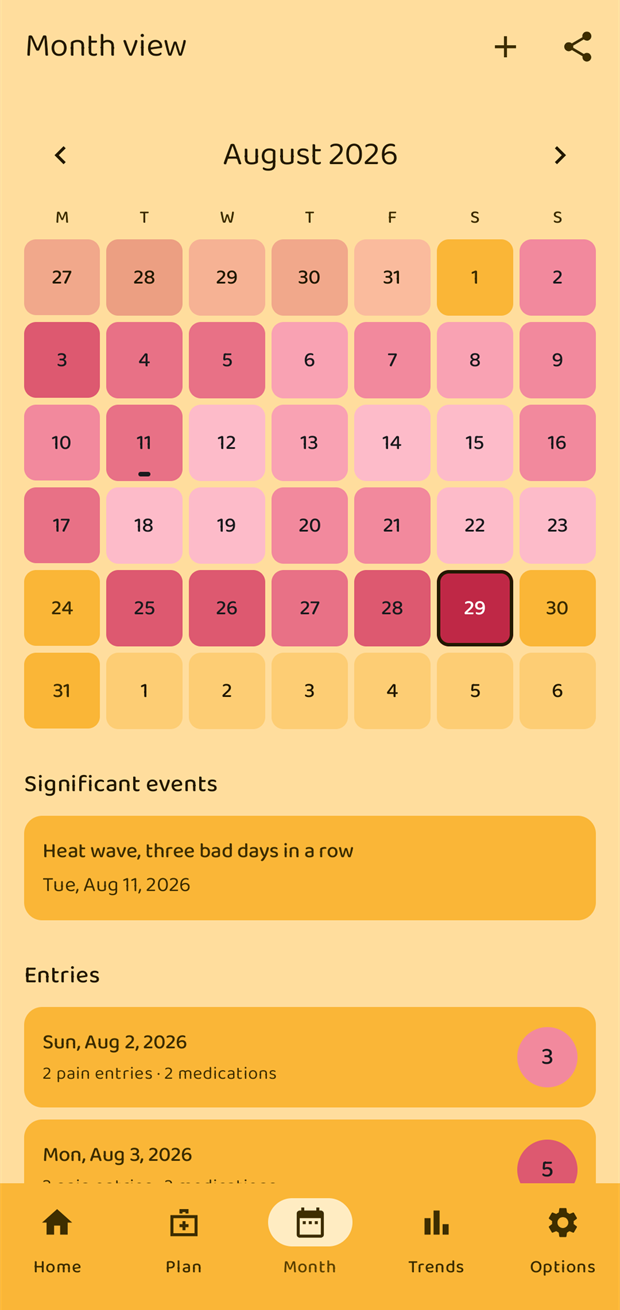
Reading the calendar
Every day is filled with the colour of its highest pain level that day — the same scale used everywhere else in the app, from pale pink at level 0–1 to deep maroon at 10.
- A day with nothing logged is left plain.
- A small dot under the number marks a doctor appointment that day; a short bar marks a significant event.
- Today has a heavier outline.
- Days from the previous and next month complete the first and last week, and show their own data.
Swipe left and right on the calendar to move between months, or use the ‹ and › arrows either side of the month name. A Today button appears when you have wandered off.
Below the calendar:
- Significant events for that month, if there are any.
- Doctor appointments for that month.
- Entries — one row per day that has something in it, with a summary ("2 pain entries · 2 medications") and the day's highest level as a badge.
Opening a day
Tap a day in the calendar, or a row in the Entries list.
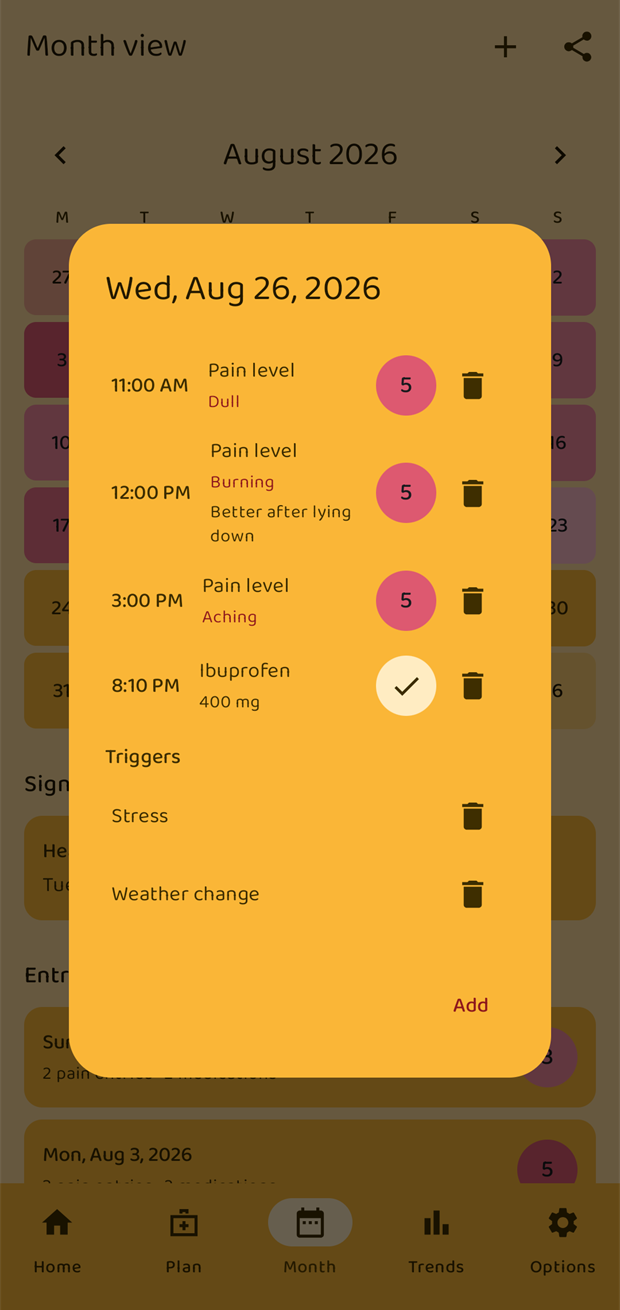
The day dialog lists everything recorded that day: pain entries with their qualities and notes, medication intakes, triggers, and any appointment or event. Tap a pain entry to edit it, or the bin icon to delete it.
Adding to any day
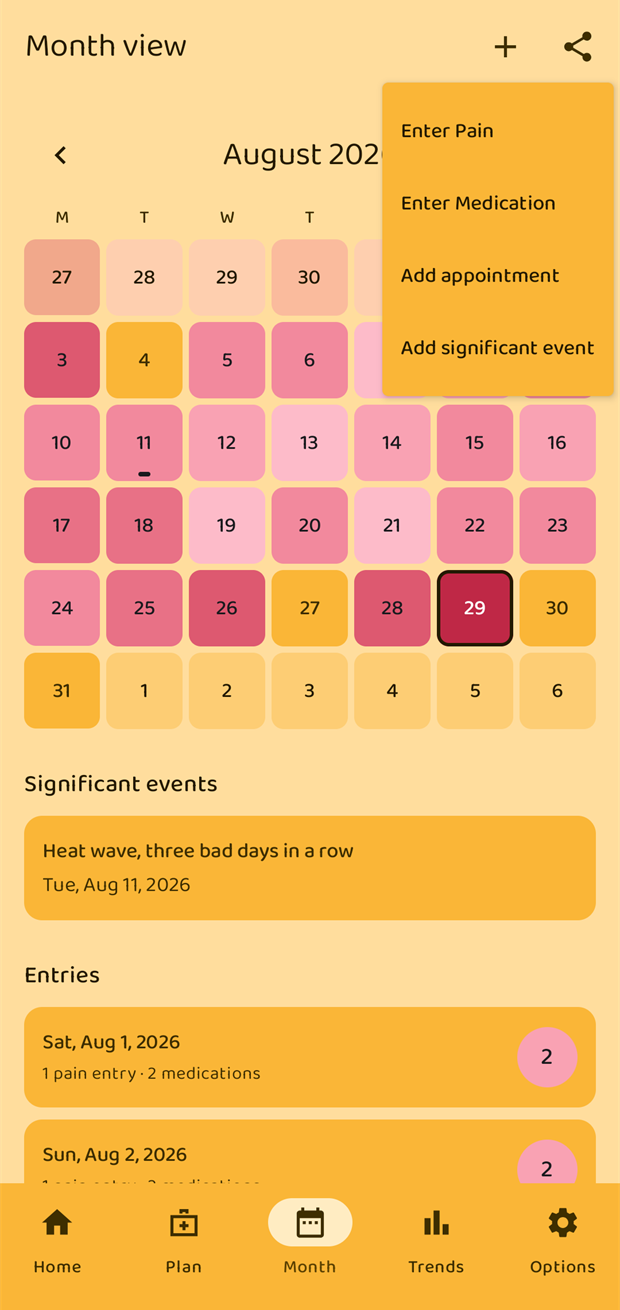
The + in the top bar adds something to the selected day — which is how you fill in a day you missed. It offers:
- Enter Pain
- Enter Medication
- Add appointment
- Add significant event
Inside an open day the same choices appear behind an Add button, plus Enter Trigger for noting a trigger on a day without recording pain.
Exporting
The share icon in the top bar is where exports live. See chapter 10.
Colouring pain-free days
By default a day you logged as level 0 gets the palest pink, the same as level 1. If you would rather see those days stand out, switch on Options → Appearance → Color days without pain: tracked days with no pain are then filled green in the calendar and the week strip.
This is a screen-only setting. Exports are never affected, so a PDF can never colour in a day you simply did not log.