7. Pain actions
A pain action is a note to yourself about what to do at a given pain level, written on a good day so you do not have to think it through on a bad one.
Writing your plan
Go to Plan → Pain Actions.
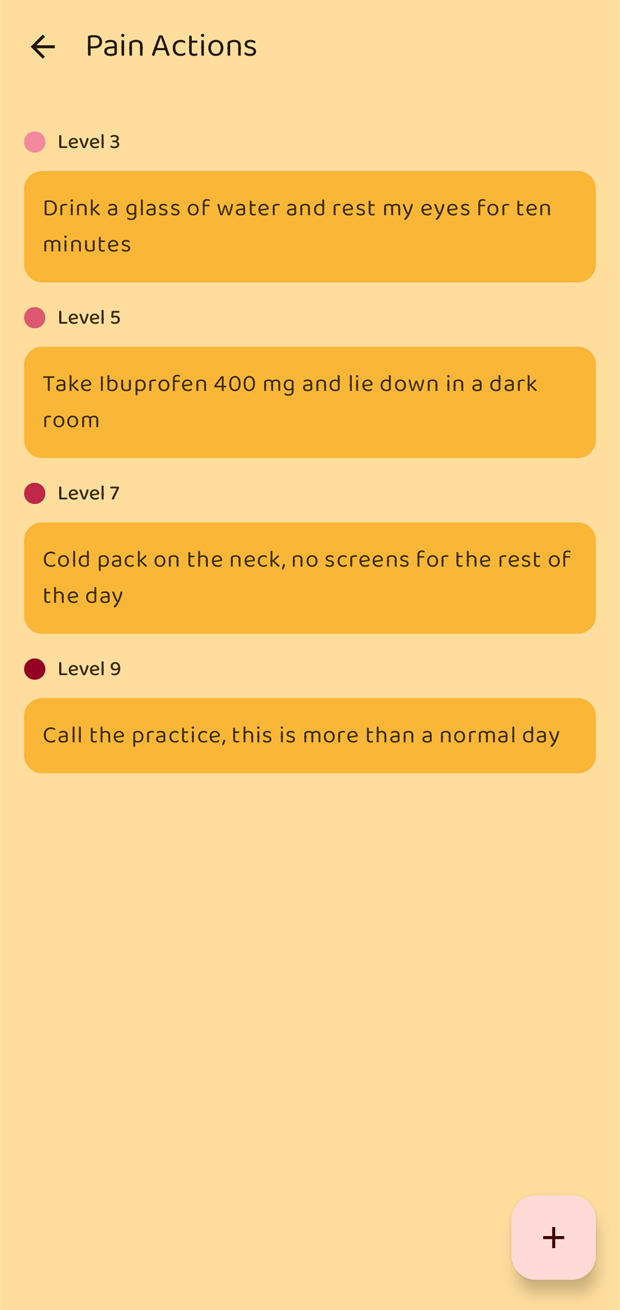
Tap + to add one. You give it two things:
- Level — 1 to 10, the level at which this becomes relevant.
- What to do — one line of plain text.
Several actions can share the same level, and they are listed in level order.
A realistic plan often looks like this:
| Level | What to do |
|---|---|
| 3 | Drink a glass of water and rest my eyes for ten minutes |
| 5 | Take Ibuprofen 400 mg and lie down in a dark room |
| 7 | Cold pack on the neck, no screens for the rest of the day |
| 9 | Call the practice, this is more than a normal day |
Tap an action to edit it. To delete one, long-press its row and choose Delete.
Relief suggestions
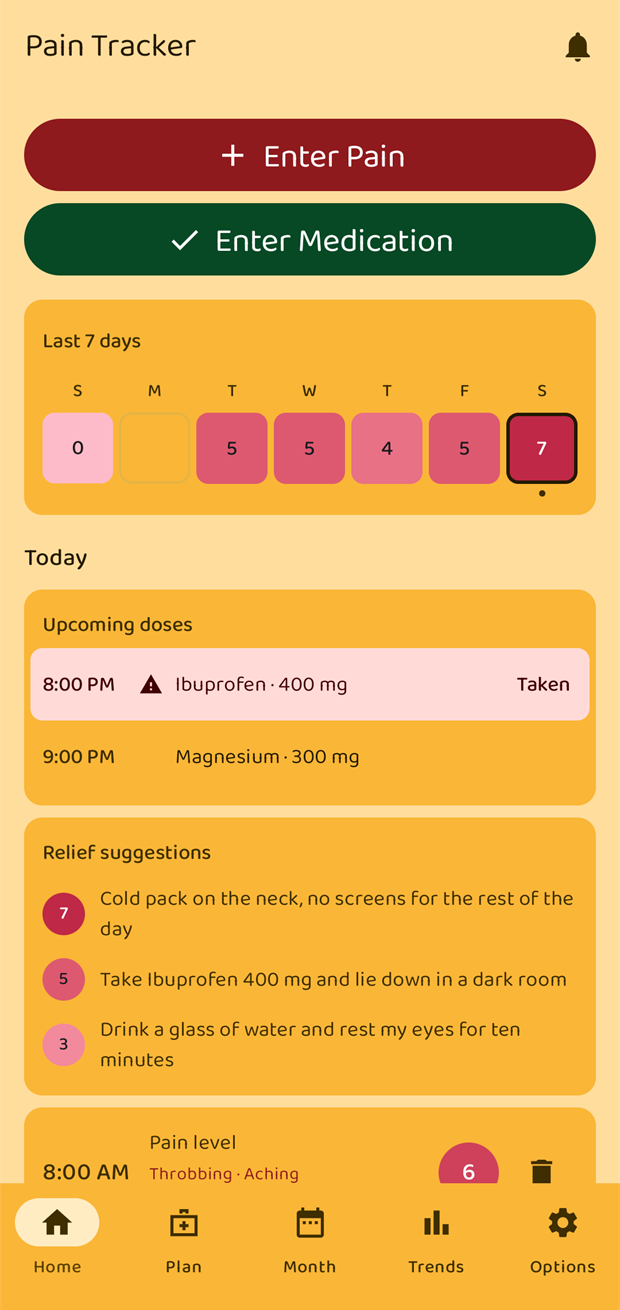
Once today's pain reaches a level you have written an action for, that action appears on the Home screen under Relief suggestions, with its level badge beside it.
Everything at or below the level you have hit is shown, highest first — so on a level 7 day you see your 7, your 5 and your 3, which is usually the order you would try them in anyway.
The card only ever appears on today, and only once something has been logged. Swiping back to an earlier day does not show suggestions for that day — they are meant to help you now, not to be second-guessed later.