6. Activities
Activities are the things that keep you well — a walk, stretches, drinking water, a weekly swim. The app reminds you about them, and that is all it does.
Nothing is ever recorded against an activity. There is nothing to tick off, no history and no adherence score, and activities appear in neither the trends nor the exports. The nudge is the whole point. If you want something tracked, it belongs in Medications instead.
Adding an activity
Go to Plan → Activities.
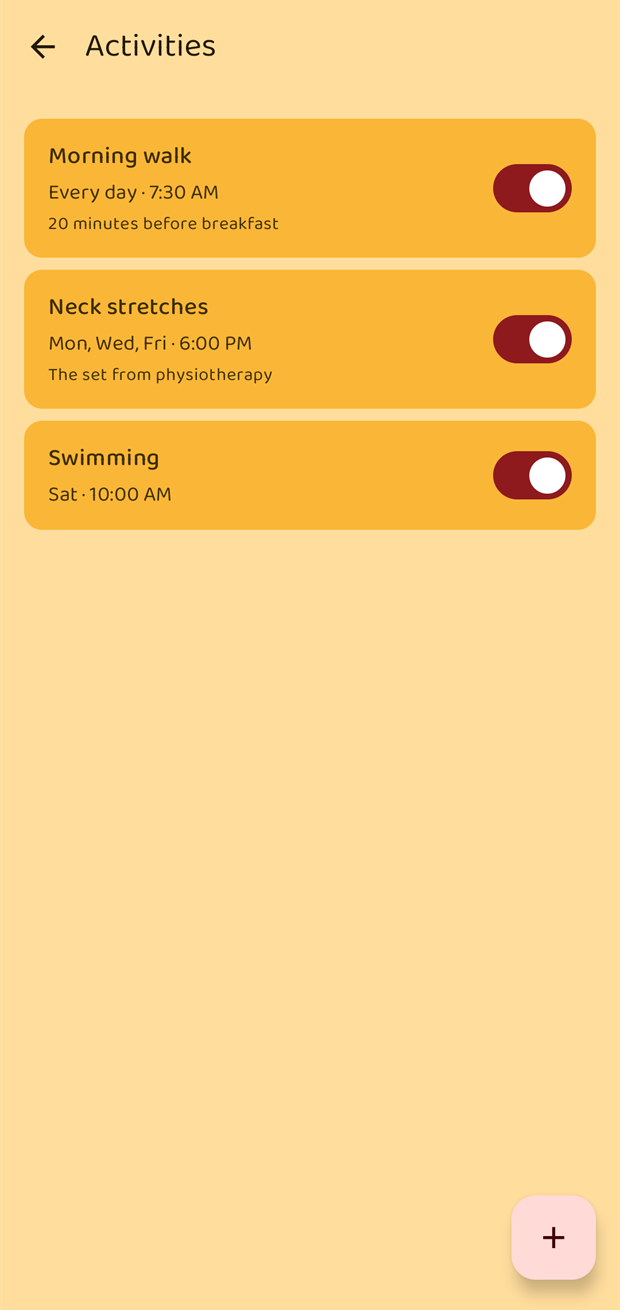
Tap + to add one, or tap an existing activity to change it.
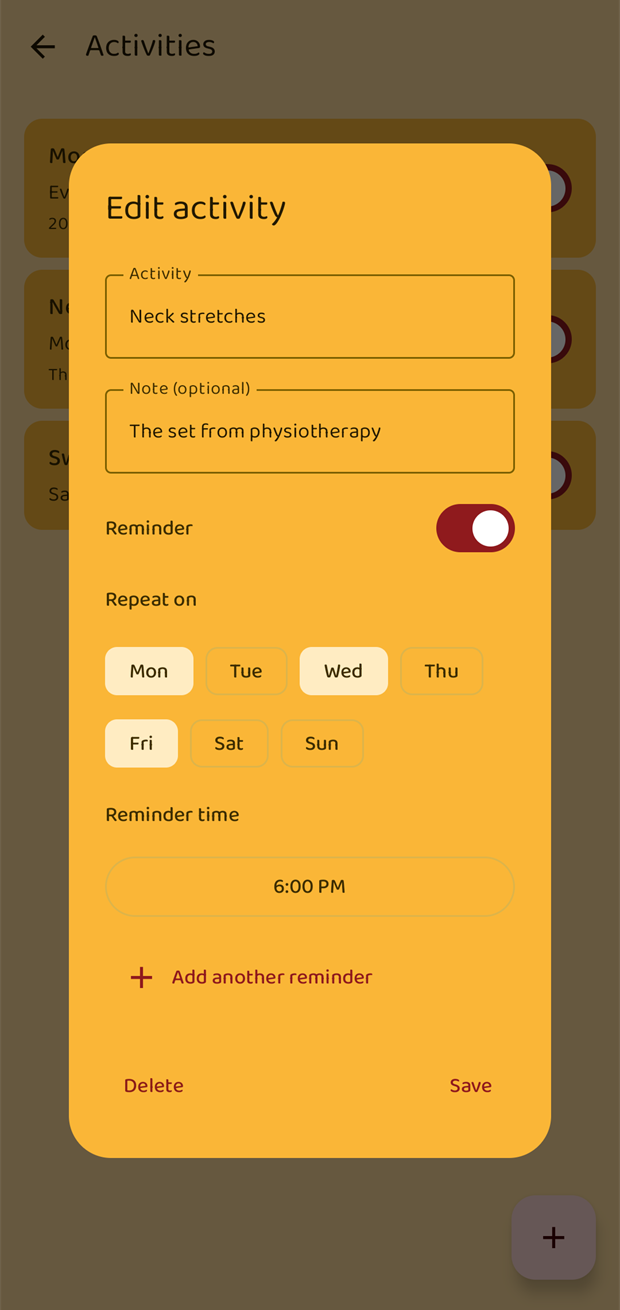
| Field | Notes |
|---|---|
| Activity | The name — Morning walk, Neck stretches, Swimming. |
| Note | Optional. It is shown in the reminder itself, so it is a good place for the detail: "20 minutes before breakfast". |
| Reminder | The switch turns the reminders on and off. |
| Repeat on | Tap the weekday letters to choose the days. Every day when all seven are selected. |
| Reminder time | One or more times of day, up to four, the same as medications. |
Every combination of day and time fires. So:
- a daily habit is all seven days, one time;
- three times a day is all seven days, three times;
- a weekly swim is one day, one time.
To delete an activity, long-press its row and choose Delete.
The reminder
At the chosen time you get a notification titled "Time for your activity" with the activity's name and note. There is nothing to confirm — dismiss it and carry on.
Activity reminders also appear in the bell list on the Home screen, alongside medication and appointment reminders.