3. Logging pain
Adding an entry
Tap Enter Pain on the Home screen.
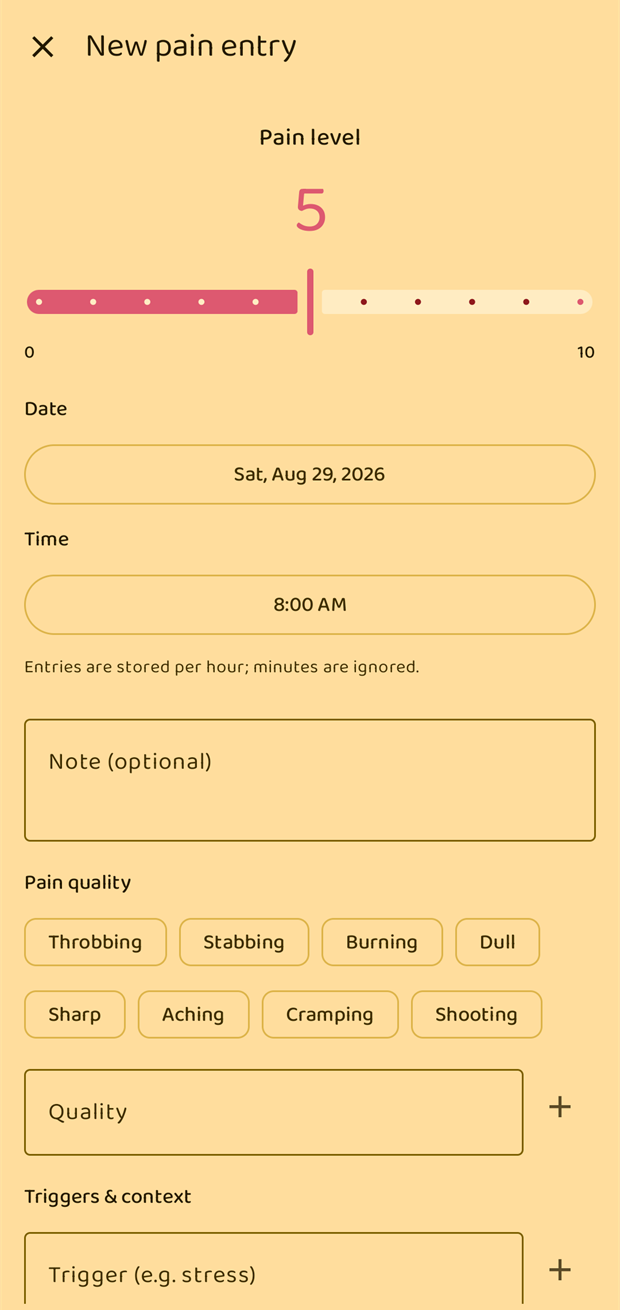
The form is one screen, top to bottom. Only the pain level is required — everything else is optional, and an entry with just a number is a perfectly good entry.
Pain level
Drag the slider, or tap anywhere along it, to pick a number from 0 to 10. The big number above the slider and its colour update as you drag.
The slider starts where your last entry left off, since one entry is usually not far from the one before it. On a brand-new diary it starts in the middle.
Date and time
Both default to now. Tap either to change them, which is how you log something you forgot at the time.
Entries are stored once per hour. Minutes are ignored — 2:15 PM and 2:40 PM are the same slot. If an entry already exists for that hour, the app asks whether to replace it rather than silently adding a second one.
Note
A free-text line for anything worth remembering: "Behind the right eye", "eased off after lunch". It appears under the entry on the Home screen and in the exported PDF.
Pain quality
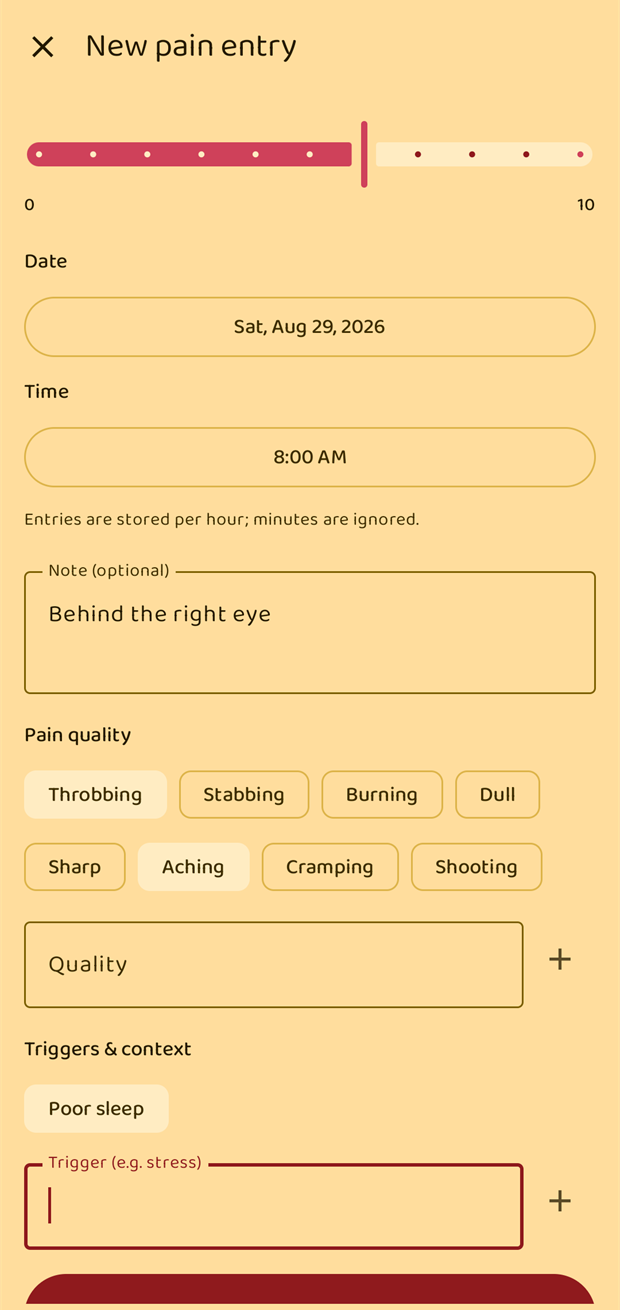
Tap any of the eight chips to describe what the pain feels like:
Throbbing · Stabbing · Burning · Dull · Sharp · Aching · Cramping · Shooting
You can pick several; tap a selected chip again to unpick it. If none of them fit, type your own in the Quality field and tap + — it joins the row as a chip of its own.
Built-in qualities are stored in a language-independent way, so if you later switch the app to German or Spanish, an entry you tagged Throbbing reads correctly in the new language.
Triggers & context
The same idea, for whatever might have caused or accompanied the pain — stress, poor sleep, weather change, screen time, skipped meal. Type it in the Trigger field and tap + to add it.
Every trigger you have used before is offered as a chip, so one you use often only has to be typed once. Tap a chip to attach it to this entry and tap it again to take it off.
Triggers are attached to the day as well as to the entry, which is what lets the Trends screen say things like "Poor sleep preceded 5 of 6 high-pain days".
Saving
Tap Save at the bottom. You land back on whichever screen you came from, with the new entry in place.
Editing an entry
Tap the entry — on the Home screen, or in a day's detail in the Month view. The same form opens, titled Edit pain entry, with everything filled in. Change what you need and tap Save.
If you move an entry to an hour that already has one, the app asks before replacing it.
Deleting an entry
Tap the bin icon at the right-hand end of the row. A confirmation dialog names the entry (time and level) so you can be sure you are deleting the right one. Deleting cannot be undone.
Deleting an entry also removes the triggers that were attached to it.
Logging a trigger on its own
Triggers do not have to belong to a pain entry. In the Month view, open a day and use Add → Enter Trigger to note something for that day without recording any pain — useful for "the weather turned" on a day that was otherwise fine.