
Android · Personal health
Pain Tracker
An offline pain diary and medication log. Record your day, explore patterns, and bring a clearer record to your next appointment.
Free for everyone. No account. No ads. No analytics.
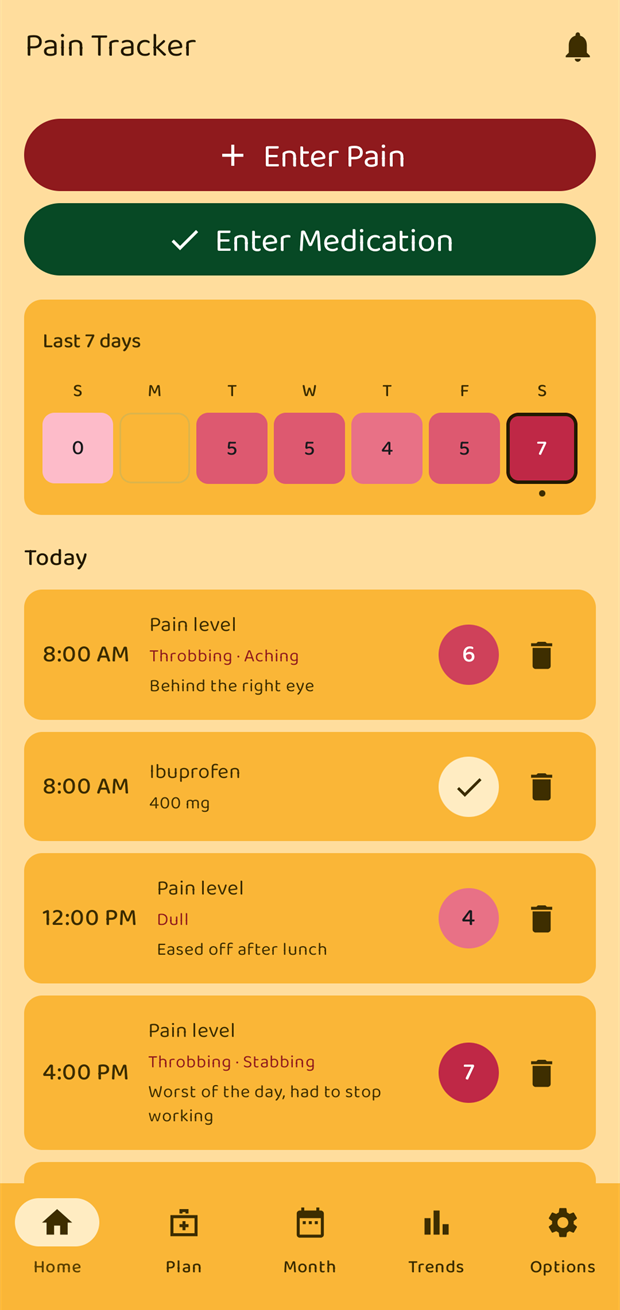 Pain Tracker / Example diary
Log pain and medication.
Record a pain level from 0 to 10, add notes, qualities and triggers, and log when you take a medication. Use a widget or Quick Settings tile for a quick entry.
How to record a pain entry ↗Review your diary.
Look back through the calendar and charts over 7, 30 or 90 days, or choose a custom three-month period. Compare the patterns in your own entries.
Explore charts and trends ↗Export PDF and CSV reports.
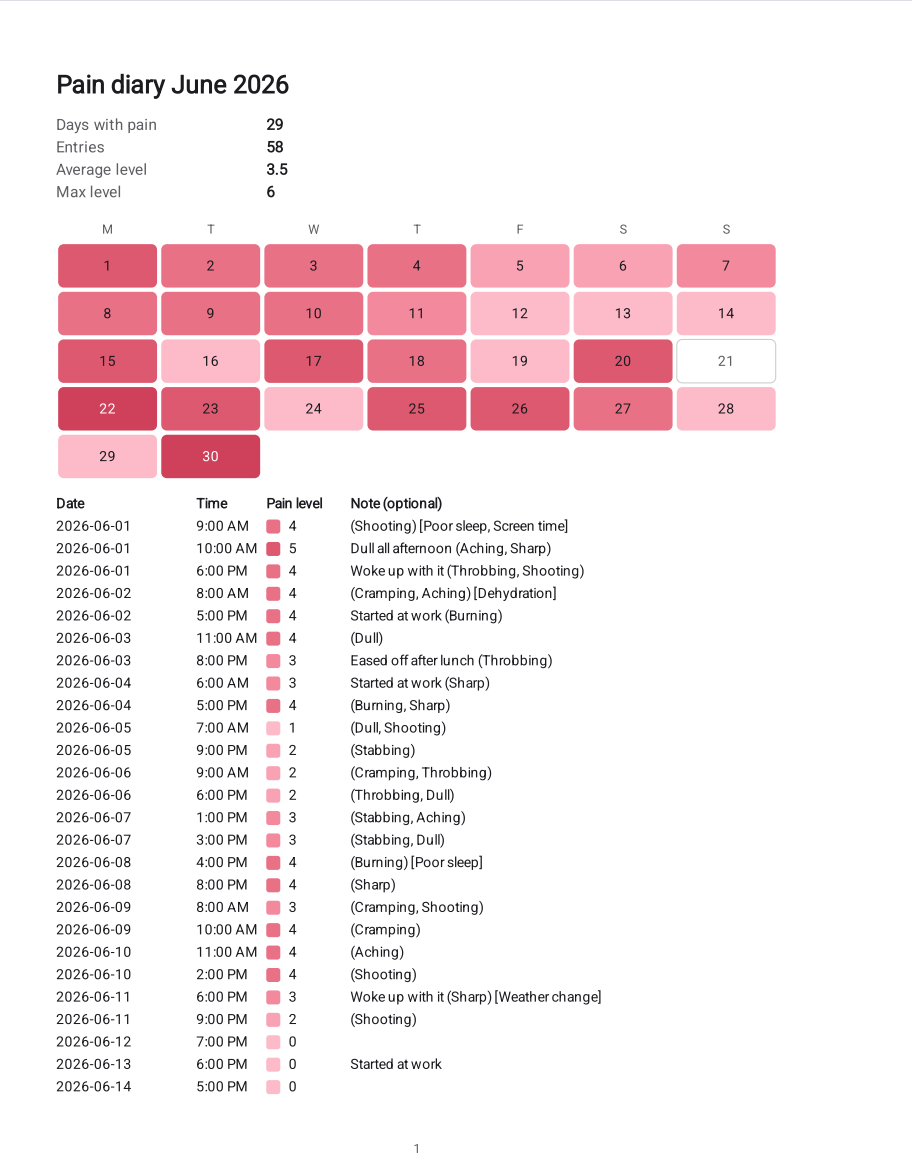
Choose a report or an hourly grid for your PDF, or export a CSV spreadsheet. Select the period and decide which details to include before sharing.
How to export your diary ↗A personal record for your appointments
Pain Tracker is an Android diary for people who want to keep a record of pain, medication intakes and the context around their day. Add notes and triggers, review a calendar and charts, and export a PDF or CSV for an appointment.
Set up medication reminders, record appointments and significant events, or keep your own list of actions for different pain levels. Your diary works offline; no account is needed.
The app does not diagnose conditions, recommend treatment or replace a healthcare professional. Its trends describe the entries you record.
App details
- Platform
- Android 12 or later. Check your device compatibility on Google Play.
- Price
- Free for everyone, to help you keep track of your pain.
- Languages
- English, German, Spanish and Turkish. Report language can be set separately from the app language.
- Offline use
- Record, review and export your diary without an internet connection.
- Ads and accounts
- No advertising, analytics or sign-up.
- Privacy
- Health records stay in the app's private storage unless you export them or use direct phone transfer. Read the full privacy policy.
From an entry to a report
Example screens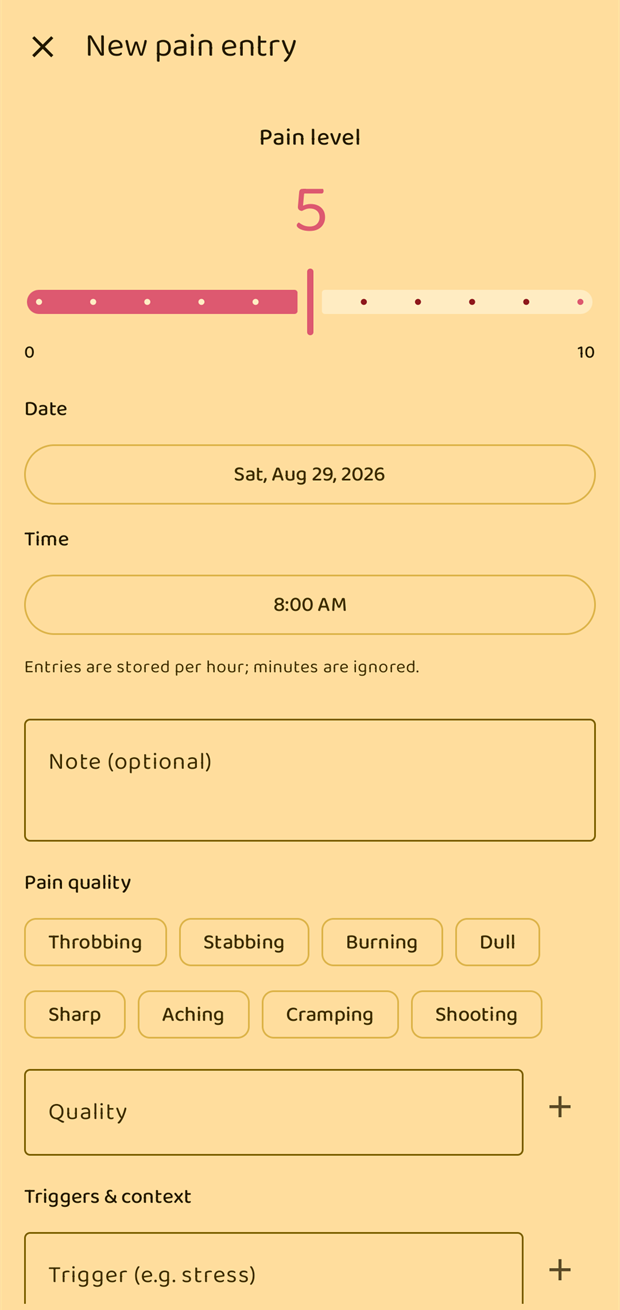
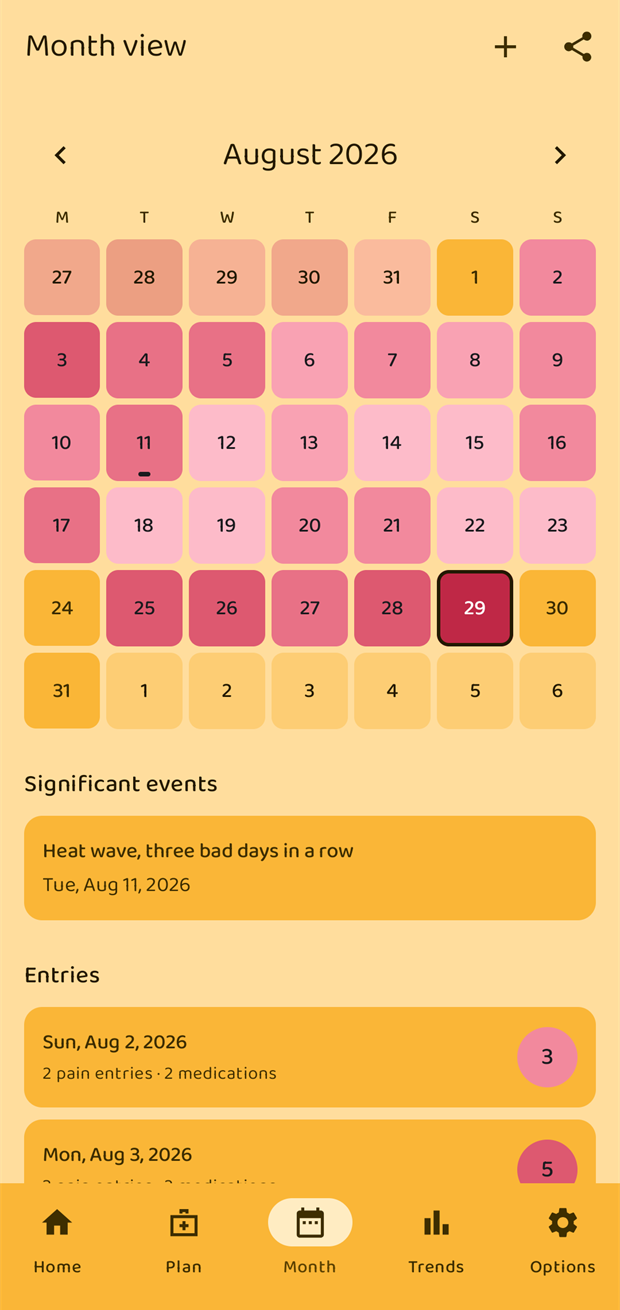
Start with one entry
Choose your settings.
Install the app, follow the introduction and choose a language and appearance. Allow notifications if you want reminders. First-start guide.
Record how you feel.
Tap Enter Pain on the Home screen, choose a level from 0 to 10 and save. Notes, qualities and triggers are optional. Logging guide.
Add what you need.
Set up medications and reminders in Plan, then use Month and Trends to review your records. Medication guide.
Frequently asked questions
More questions in the manual ↗Is Pain Tracker free, and which Android versions does it support?
Yes. Pain Tracker is free for everyone, with no ads and no account required. It runs on Android 12 or later. Your diary is stored locally on your phone.
Does Pain Tracker work offline?
Yes. Your diary, calendar, trends, reminders and exports work on your phone without an account or internet connection. The app itself has no internet permission. Sharing an exported file through another service may need a connection.
Where is my data stored? Does anything leave my phone?
Your health records are stored in the app's private storage. The developer receives no diary data, and there are no ads or analytics. You can choose to export or share files. Android can back up non-health settings to your Google account, and direct phone-to-phone transfer can carry your diary to a new device. The diary is excluded from Google cloud backup.
Read the privacy policy for the full details.
Can I export a pain diary for my doctor?
Yes. Open Month, tap the share icon and choose Export PDF or Export CSV. You can include the selected month or the last two or three months. PDFs offer a report layout or an hourly grid. Export settings let you choose a report language and whether to include triggers; individual medications can be excluded from PDFs.
Follow the export guide.
How do I back up my diary or move it to another phone?
Use Options → Export data to save a .json backup somewhere you can access later. On the new phone, use Options → Import data and select it. Import adds missing records without deleting or overwriting existing ones. A PDF or CSV report is for reading and sharing; use the JSON backup to restore your diary.
Keep your own backup: the diary is not included in Google cloud backup. Direct phone transfer during Android setup can also carry it across. Read the backup guide.
Can I add a past entry or record a pain-free day?
Yes. Change the date and time in the entry form, or open a past day in Month and choose Add → Enter Pain. Save level 0 to record no pain; a zero-level entry is different from a day with no entry. Pain entries are stored once per hour, and the app asks before replacing an existing entry in that hour.
Read about pain entries.
Can I set more than one medication reminder per day?
Yes, up to four daily times per medication. Open Plan → Medications, edit the medication and use Add another reminder. A notification's Taken action logs the intake, and Snooze 15 min postpones the reminder. You can also record medication without scheduling reminders.
Read the reminder guide.
Why am I not seeing a reminder?
Check that the reminder is enabled in the Home screen's bell list, Android notifications are allowed for Pain Tracker, and your phone's battery settings allow the app to run in the background. The app offers to open Android settings when notification permission is blocked.
Which languages are supported?
English, German, Spanish and Turkish, plus a system-default option. Change the language in Options. Export language is a separate setting, so you can use one language in the app and another in a report. Your own notes, triggers and medication names stay as you typed them.
Read about language settings.
Can I protect the app with a fingerprint or screen lock?
Yes. Turn on App lock under Options → Security. It uses Android's fingerprint, face or screen-lock authentication when the app opens or returns to the foreground. A device screen lock must be configured first.
Read about app lock.
Does Pain Tracker give medical advice?
No. It records what you enter and shows observations about those records. It does not diagnose conditions, recommend treatment or replace a healthcare professional.
Guides for your next step
- Medication logs and remindersSet up medication, log intakes and review history.
- PDF and CSV exportChoose a period, layout and details for your report.
- Widgets and quick loggingRecord pain or an intake from your home screen.
- Backup and device transferSave and import a JSON backup of your diary.
Made by Ataalp Software
Pain Tracker is published by Altug Ataalp. For questions about the app, contact ataalpaltug92@gmail.com.
Visit the manual or read the privacy policy.
Get Pain Tracker on Google Play